Supported Languages
This document lists the user interface languages supported by DigitalSuite.
Digital Suite Studio
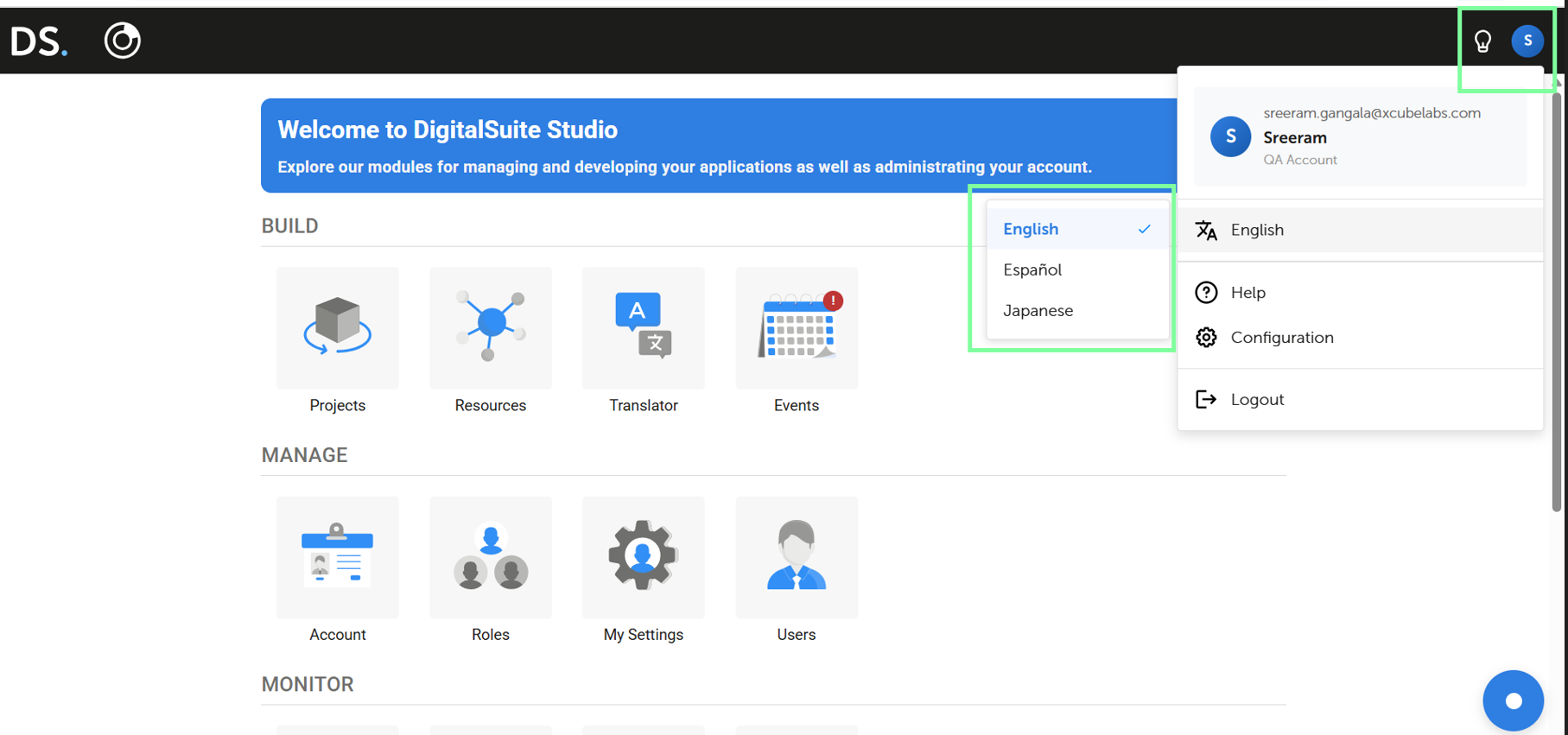
The following languages are supported for DigitalSuite Studio:
| Language | Value |
|---|---|
| English | en (default) |
| Japanese | ja |
| Spanish | es |
The Digital Suite Language can be selected from the top right corner.
Application Languages
DigitalSuite offers comprehensive language support, including the following:
- Localized strings for user-facing elements, such as progress indicators, error messages or labels and tooltips for predefined elements of web interface widgets.
- Predefined patterns that determine the number and date format, as well as the text direction.
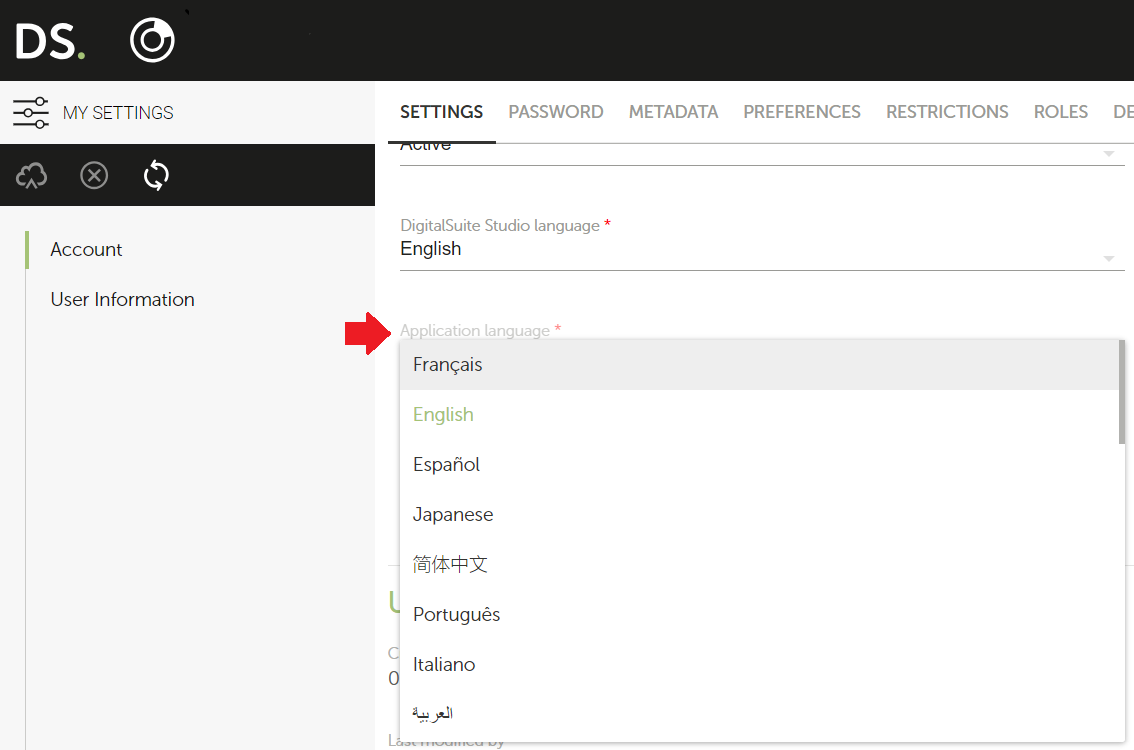
The Application Language can be selected from the My Settings module.
DigitalSuite also provides assistance to the application developers in localizing the applications for any of the supported languages through an App Translator portal application.
- The app can recognize additional languages and offer quick translations based on dictionaries for the strings defined in their applications' web interfaces and processes.
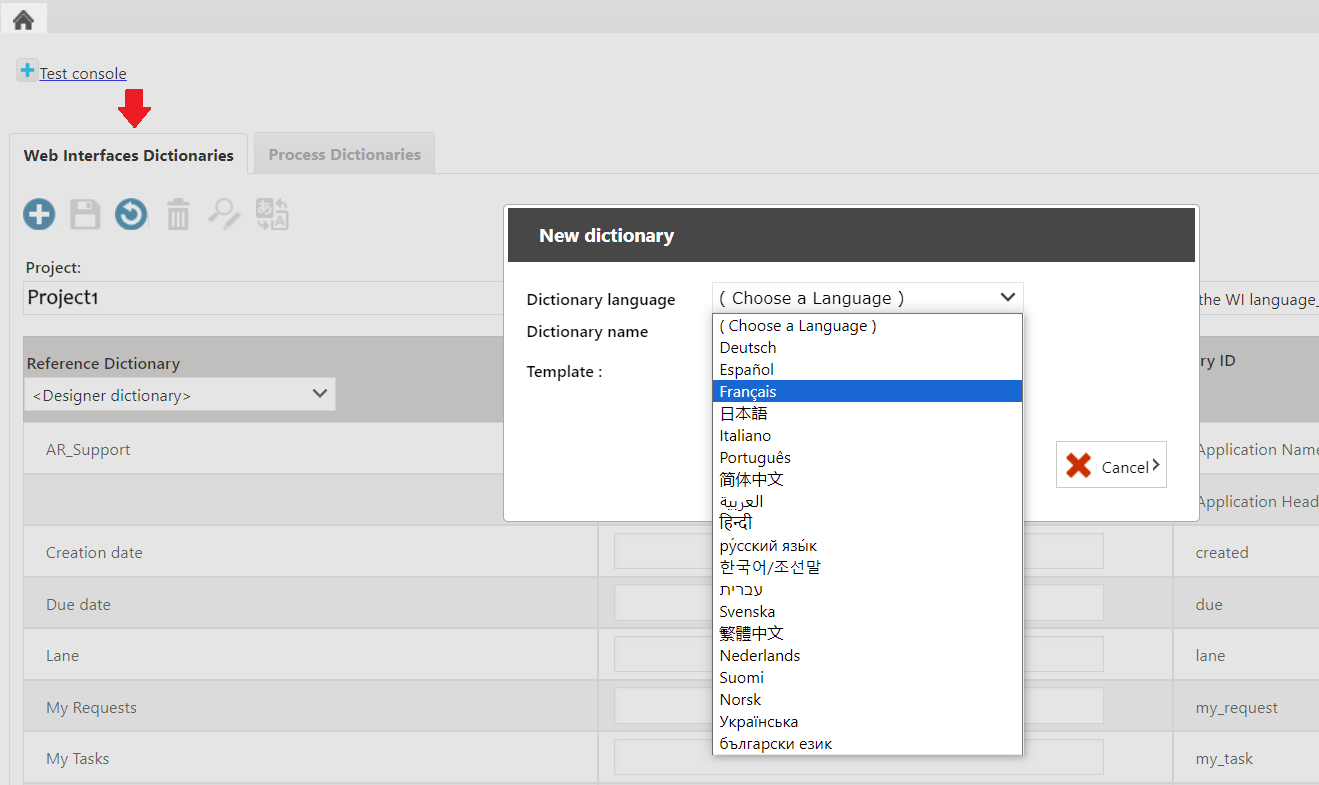
The following are the list of languages that are supported for applications created using DigitalSuite:
| Supported Language | Value | Application Translation (AR and WIRE) | App Translator Portal |
|---|---|---|---|
| Arabic | ar |
✓ | ✓ |
| Bulgarian | bg |
☓ | ✓ |
| Chinese, Simplified | cn |
✓ | ✓ |
| Chinese, Traditional | zh_hant |
☓ | ✓ |
| Czech | cs |
☓ | ✓ |
| Danish | da |
☓ | ✓ |
| Dutch | nl |
☓ | ✓ |
| English | en (default) |
✓ | ✓ |
| Filipino | fp |
✓ | ☓ |
| Finnish | fi |
☓ | ✓ |
| French | fr |
☓ | ✓ |
| German | de |
☓ | ✓ |
| Haitian Creole | ht |
✓ | ☓ |
| Hebrew | he |
☓ | ✓ |
| Hindi | hi |
✓ | ✓ |
| Hungarian | hu |
☓ | ✓ |
| Italian | it |
✓ | ✓ |
| Japanese | ja |
✓ | ✓ |
| Korean | ko |
✓ | ✓ |
| Norwegian | no |
☓ | ✓ |
| Persian | pe |
✓ | ☓ |
| Polish | pl |
✓ | ✓ |
| Portuguese | pt |
✓ | ✓ |
| Russian | ru |
✓ | ✓ |
| Slovak | sk |
☓ | ✓ |
| Spanish | es |
☓ | ✓ |
| Swedish | sv |
☓ | ✓ |
| Tagalog | tg |
✓ | ☓ |
| Ukrainian | uk |
☓ | ✓ |
| Vietnamese | vi |
✓ | ☓ |
| Yiddish | yi |
✓ | ☓ |
Note: Only a few intricate web interface widgets, numeric values and dates cannot be translated and will appear in the default language (English).